

MAINER
Администратор
- Регистрация
- 24.02.18
- Сообщения
- 1.549
- Реакции
- 53
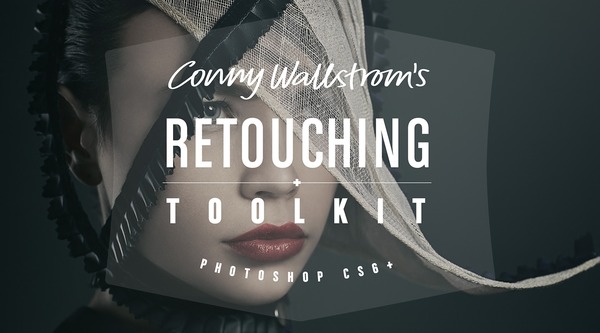
Retouching Toolkit 2.0.1 for Adobe Photoshop
Графика ⇒ Retouching Toolkit 2.0.1 for Adobe Photoshop
Retouching Toolkit - это набор функций профессионального инструмента Photoshop для ретушеров. Пакет содержит большой набор сценариев, действий и пресетов. Инструменты значительно ускорят и упростят рабочий процесс.
Особенности:
• Инновационный. Инновационные новые инструменты в сочетании с проверенными методами, разработанными профессиональными ретушерами.
• Для всех. Упрощает передовые методы, не «опуская» их. Нет никаких волшебных кнопок и торговых трюков.
• Все что тебе нужно. В комплекте со всем необходимым для создания высококлассной ретуши в Photoshop.
Наборы функций:
• GRADIENT MAP MAKER. This tool is designed to create perfect gradient maps for color corrections. It uses advanced logic to calculate the best possible color and hue values.
• AVERAGE COLOR. This tool creates a color layer from a selection, averaging the tones.
• STAMP CURRENT & BELOW. This tool will create a stamp of the current layer and the visible layers below it. It works the same as the built in Stamp Visible, except that it ignores anything above the selected layer.
• SMART LIQUIFY. This is a completely non-destructive liquify tool. You can edit any layer below the Smart Liquify layer as well as changing the actual liquify at any time.
• UPDATE SMART OBJECT. An innovative tool that allows you to update the contents of a smart object with a new Stamp Visible.
• SELECT PREVIOUS LAYER. This tool will activate the last selected layer allowing you to switch back and forth between two layers quickly.
• FREQUENCY SEPARATION. This is an improved version of the traditional frequency separation technique. (Three different methods are included in the toolkit.)
• BAND STOP (INVERTED HIGH PASS). This is an improved version of the traditional inverted high pass technique made famous by Natalia Taffarel.
• COPY TO ALL OTHER. This tool will copy the selected layers to all other open images.
• EYE HELP (QUALITY CONTROL). This is a package of help layers that can be enabled to serve as visual aids that highlight flaws and help to detect things that otherwise might be impossible to see.
• VANISHING POINT. This tool will create a set of vanishing point paths, which is useful when compositing different elements to make sure perspective and relative size is correct.
• GOLDEN SPIRAL/TRIANGLE/RATIO. These tools will create golden spiral/triangle/ratio custom shapes which are useful as a compositional guides.
Плагин поддерживает:
• Adobe Photoshop CC 2018
• Adobe Photoshop CC 2017
• Adobe Photoshop CC 2015.5
• Adobe Photoshop CC 2014
• Adobe Photoshop CC
• Adobe Photoshop CS6
Скачать плагин Retouching Toolkit 2.0.1 для Adobe Photoshop (8,8 МБ):
Теги: Retouching Toolkit скачать, Retouching Toolkit кейген, Retouching Toolkit патч, Retouching Toolkit ключ, Retouching Toolkit активация, Retouching Toolkit, ретушь, фотографии, плагины, Adobe Photoshop
Ссылки на скачивание:
Скрытое содержимое могут видеть только пользователь группы: PREMIUM